A Golden Image for Every Screen
By Harshit Agarwal
Every app has screens nobody opens on purpose: the payment-failed dialog, a pass with one session left, the order page for a refund that went back to the wallet. Customers reach them when something has already gone wrong, and reviewers never see them, because getting there by hand takes a test account, a broken payment and some luck. So how do you show a reviewer every state of every screen, rendered by the real code, on every change, without the suite turning flaky or expensive? This post is how we did that for a Flutter app with about 630 screen states.
FamCare is an in-home care marketplace in India. Families book babysitting or elder care by the hour from a Flutter app. Each screen has one happy path and many unhappy ones: the slot you picked was just taken, the payment failed, you are outside service hours, the caregiver is running late.
Golden tests, and what they miss
A golden test (also called a snapshot or screenshot test) renders some UI, saves the result as an image, and commits that image next to the code. Every later run renders the UI again and compares it, pixel by pixel, with the committed "golden" file. If the pixels differ, the test fails and hands you three images: what you expected, what you got, and the difference. If the change was intended, you regenerate the golden and the new image becomes the reference.
A golden checks what a user actually sees: a widget test can assert that a button exists, but only a picture shows it is now hidden behind the keyboard. The cost is that a picture is sensitive to everything: fonts, anti-aliasing, the current time, the data on screen. Most of the engineering in a golden suite goes into making the picture depend on the code and nothing else.
We already had about 585 component goldens: tests that render one widget with hand-made data. The whole team writes them, and I wrote most of the test files. But a component in isolation can't tell you that a pass card on checkout pushes the consent line below the fold, or that a dialog opens over a half-loaded screen. What I wanted was a picture of every real screen in every visually distinct state, made by the production widgets, with data shaped like what the backend actually sends.
Fake the network, keep everything else real
The screen-audit suite has one test file per area: onboarding, home, booking, checkout, passes, tracking, history and support, profile, plus two smaller ones added later. Each test pumps a real screen, drives it into a state through the network and real taps, and captures a full-page 390×844 image.
+ real images
answers every http call
clock frozen
compared on Linux CI
The seam is the network. A shared harness gives every test the same world:
- A fake backend with real responses. Every HTTP request goes to an in-memory fake backend, preloaded with JSON captured from the real API: production for public data like the catalogue, banners, pass plans and site config, and a sanitised test account for user-shaped data like bookings, the wallet and notifications. A test that needs a state overrides one route: return this JSON, or fail this call.
- Real images. Network images are served from captured files through a URL-to-file manifest. An unknown URL renders transparent and gets listed, so a missing image is visible instead of silently loading from the internet.
- A clean slate per test. Production flag values, empty preferences, and leftover timers cancelled after each test. That last one paid off early: the harness reproduced a timer on Home that was never cancelled on dispose and fired after the screen was gone.
One rule for test authors: don't change app code to make a test possible. If the suite needed hooks in production code, it would slowly stop testing the production code.
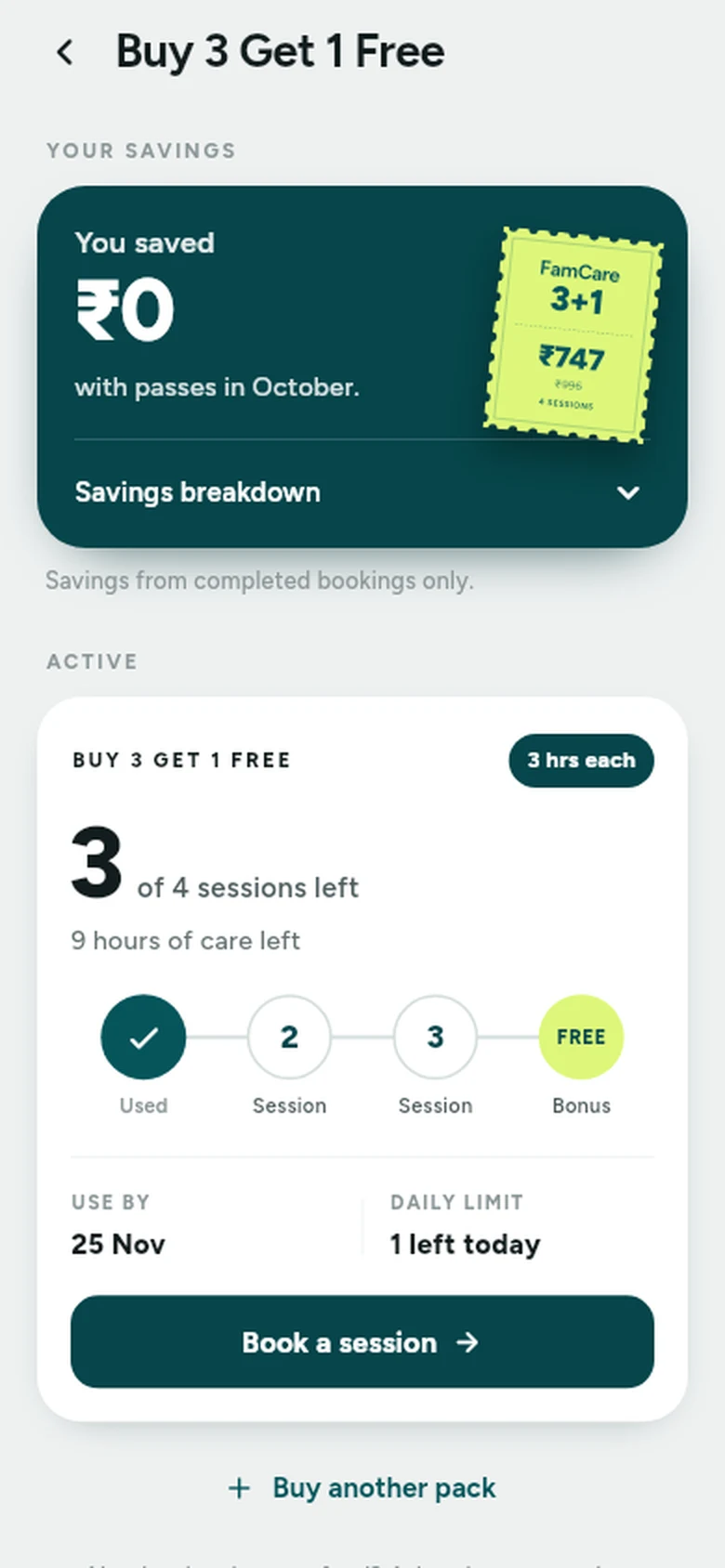
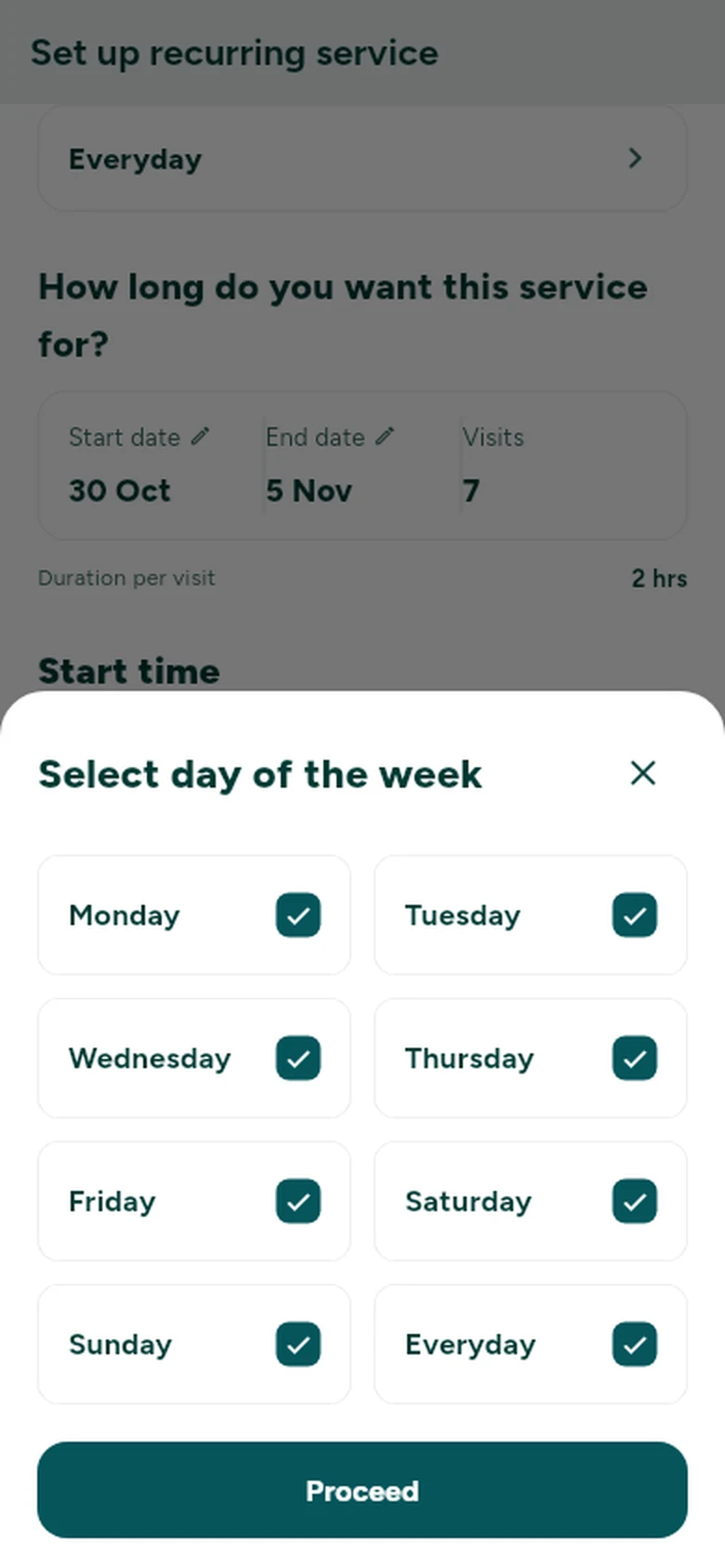
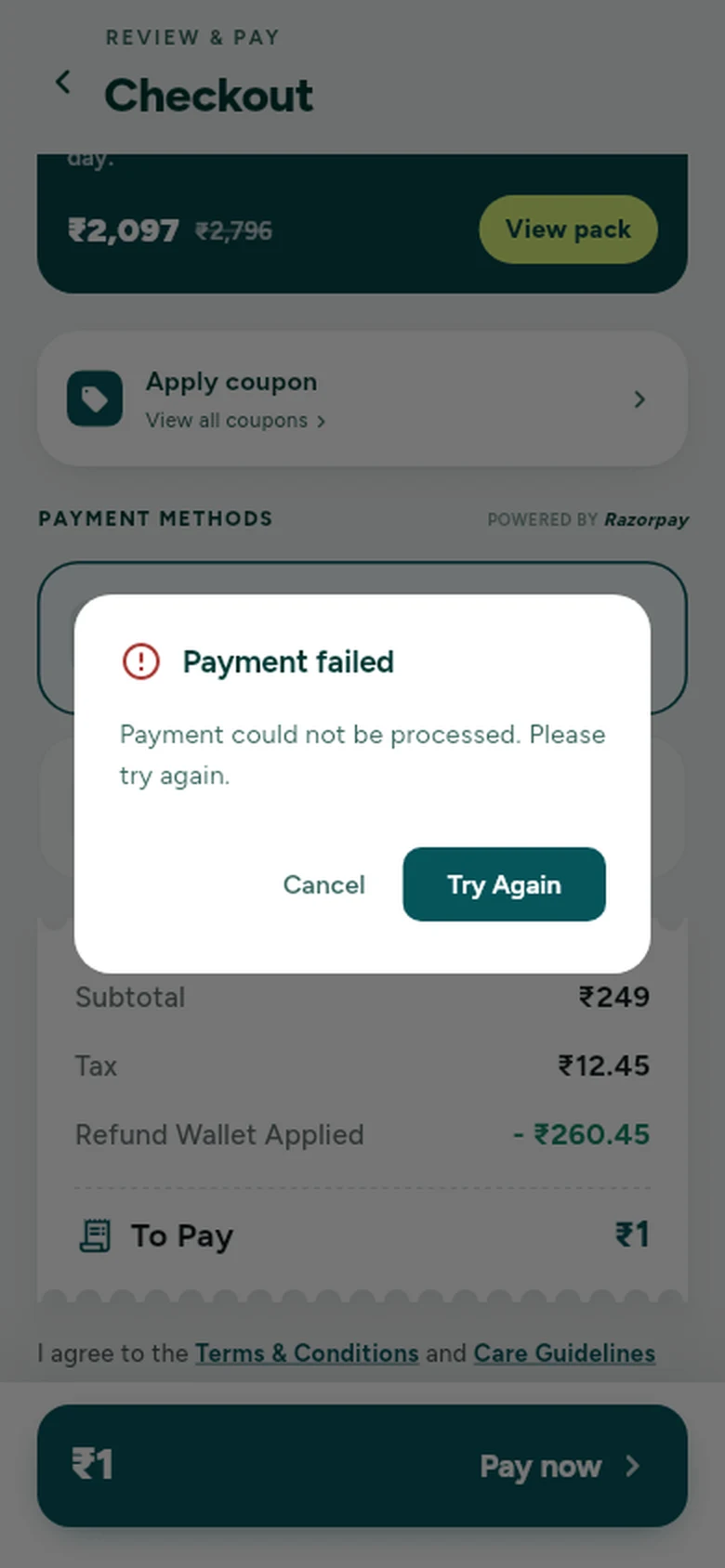
The first version covered 73 screens and 627 states with about 410 tests and 676 images. It has grown to 686 images across ten test files since.
Freeze time, not the app
The app reads the system clock directly. Countdowns, "Next: 6:30 AM", open and closed hours and pass validity all change from one run to the next, so a naive golden would never match twice.
Note
Rejected: inject a clock into the app. That's the textbook fix, and in a new codebase I'd do it. Here it meant touching every screen that reads the time, in code several people change daily, and it broke the "don't change app code" rule on day one.
So the clock is frozen from outside. Every audit run pins wall time to one instant, 11:20 AM IST on the day the fixtures were captured. Because the captured data and the clock agree, slot lists, pass validity and countdowns look like a real morning.
The first attempt used libfaketime, a well-known library that fakes the time for a process. Its replacement gettimeofday() returned an error inside the Flutter tool, which the Dart VM treats as fatal, so the run crashed before any test started.
I replaced it with an 80-line C shim loaded through LD_PRELOAD. On Linux, LD_PRELOAD tells the dynamic linker to load your library first, so your definitions of libc functions win over the real ones. The shim overrides gettimeofday, clock_gettime(CLOCK_REALTIME) and time(), and only inside the process that runs the tests; the Flutter tool, dart and git get the real functions. Narrowing the blast radius to one process is what fixed the libfaketime crash. The monotonic clock, which timers and animations use, is untouched, so animations settle and timeouts fire while the date stands still.
One machine renders the truth
Fonts and anti-aliasing render slightly differently on macOS and Linux, so a golden made on a laptop rarely matches one made on CI. Our component goldens tolerate that with a lenient comparator. The audit suite takes the stricter route: its images are only produced and checked on the CI Linux runner, with the frozen clock. A plain flutter test on a laptop skips them, and the runner script refuses to start on anything but Linux.
Note
Rejected: generate the baseline on a developer's machine, or in local Docker. Either makes the baseline depend on whose laptop produced it, and a full local run is heavy. The very first baseline of 676 PNGs was committed by the CI bot, not by me.
If only CI can render the truth, only CI can update it.
Accepting a change is a request to look
Accepting a visual change is a label on the pull request. Adding it starts a workflow that regenerates the images and commits them back to the branch:
pin the commit SHA
one job per area,
in parallel
coverage map
drop label, comment
Three details made it safe to leave on:
- Every shard renders the same pinned commit, and the commit job checks the branch head still matches before pushing, so it never commits images of code that no longer exists.
- Pushes made with GitHub's built-in workflow token don't trigger new workflow runs (a guard against loops), so the workflow explicitly starts the normal QA run on its own commit.
- The bot removes the label and asks the author to review the image changes. A regeneration accepts whatever renders now. The label is a request to look, not a stamp of approval.
Run only the screens a diff can reach
Running every audit file on every change took about ten minutes in one job, even for docs-only changes. A path filter helped, but still ran all eight areas for a one-line change in one screen.
The version that stuck selects test files from line coverage. A coverage map records, for every source file, which audit test files executed which lines, and the label workflow refreshes it on each regeneration. For a new change, a small Python script runs:
- everything, for changes that can alter every render: dependencies, assets, the theme, the harness, fixtures, the runner and the QA workflow;
- for each changed hunk, the test files that executed those lines, translating line numbers from the map's commit to the change's base and ignoring comment- or import-only hunks;
- for every top-level or static
const/final, orenum, the diff touches, every test that uses a file referencing that name. Constants are inlined at compile time, so coverage never sees their definition "executed". Without this rule, changing a colour constant would select nothing; - every test that uses the file, if a hunk touches no executable line.
Replayed over 30 earlier changes, it picked about 3.4 of 8 test files on average. Over 60 later runs, a quarter selected nothing, a little under a quarter ran all ten (usually design-token or lockfile changes), and the average was about 3.7 of 10.
| Run | Jobs | Wall clock | Billed Linux minutes |
|---|---|---|---|
| One audit shard (verify) | 1 | 1–3 min | 2–3 |
| Typical change (~4 shards) | ~6 | ~3 min | ~12 |
| Full regenerate via label | 13 | ~6 min | ~40 |
At GitHub's list price for Linux runners, a full regeneration costs roughly a quarter of a dollar and a typical check a few cents. The expensive part of the app's CI is macOS builds for over-the-air patches, not goldens.
Reviewing UI as pictures
The point of all this is the diff. A change to the booking flow now shows, in the pull request's files tab, every booking state it changed, before and after, from the same data at the same frozen moment.
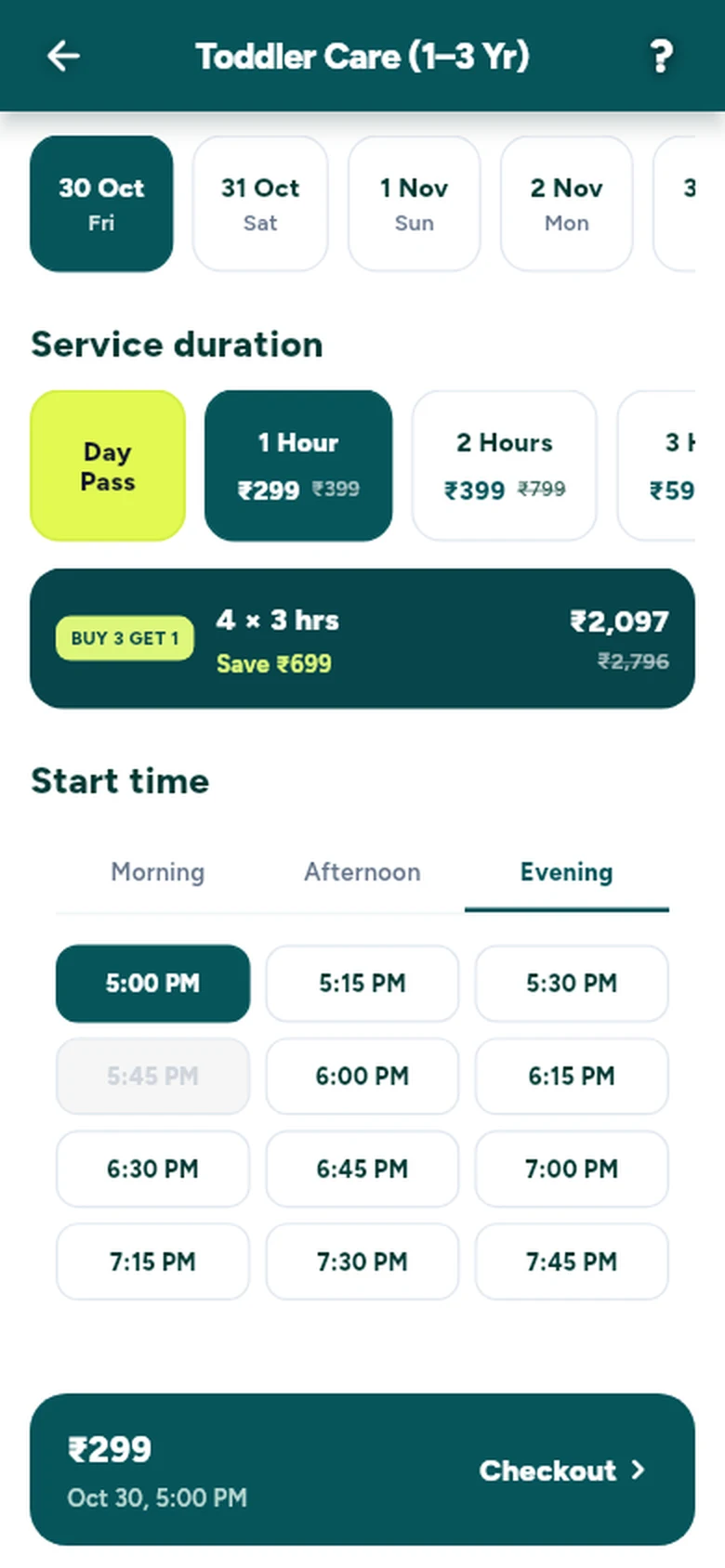
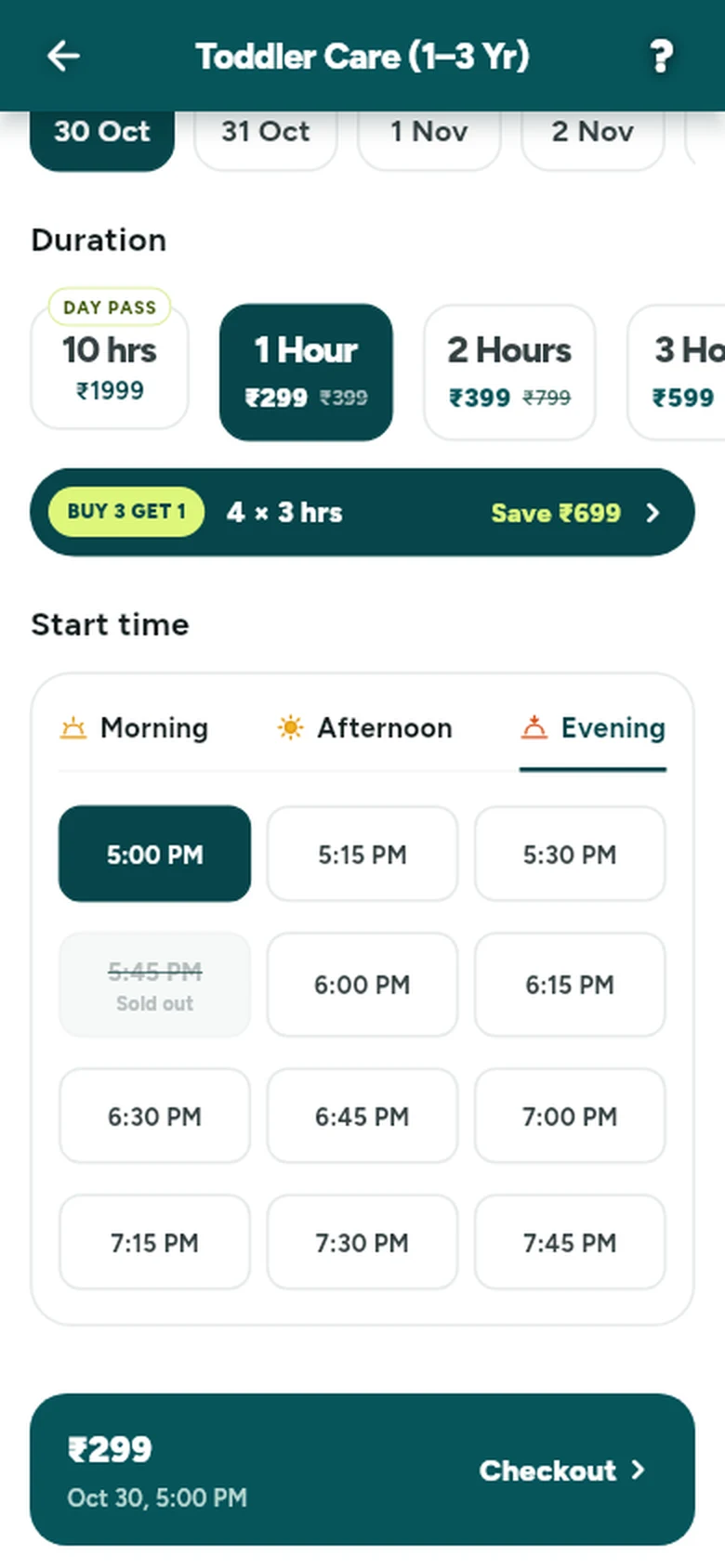
booking__scheduled_evening_tab, at launch and three weeks later, after a teammate's booking-flow redesign. Same data, same frozen time: the only difference is the code.Once the pictures exist, people find uses for them:
- Design options from real data. To decide how a slot chip should show a price drop, I rendered four options from the same real afternoon of slots: a small saving label, the price with the old one struck through, a percentage tag, and a "Lowest" flag with a one-line reason. The team compared real numbers on real chips instead of mock-ups, and the review surfaced two gaps: the ten-minute price hold had no visible countdown, and clearing a coupon when a drop applies had no explanation.
- Every state of a new feature. The flash-sale work came with 15 component goldens and 14 audit cases: the Home strip at each discount, its final minutes, sold out, ended, logged out, the preselected slot, the one-hour notice and the checkout row. Pinned to the frozen instant, the countdowns read the same on every run.
- A critique of the whole app. The suite's first use was a written critique against 2x renders: 974 issues across the 627 states (125 critical) and 128 code findings, each pointing at a real state. The headline was uncomfortable and useful: the app often told parents different things about the same money on different screens, like a refund time worded three ways.
- A nudge on every change. A labeller flags any change to a visual file, and flags it again when no golden renders that file. It never fails the build.
Where snapshots bite
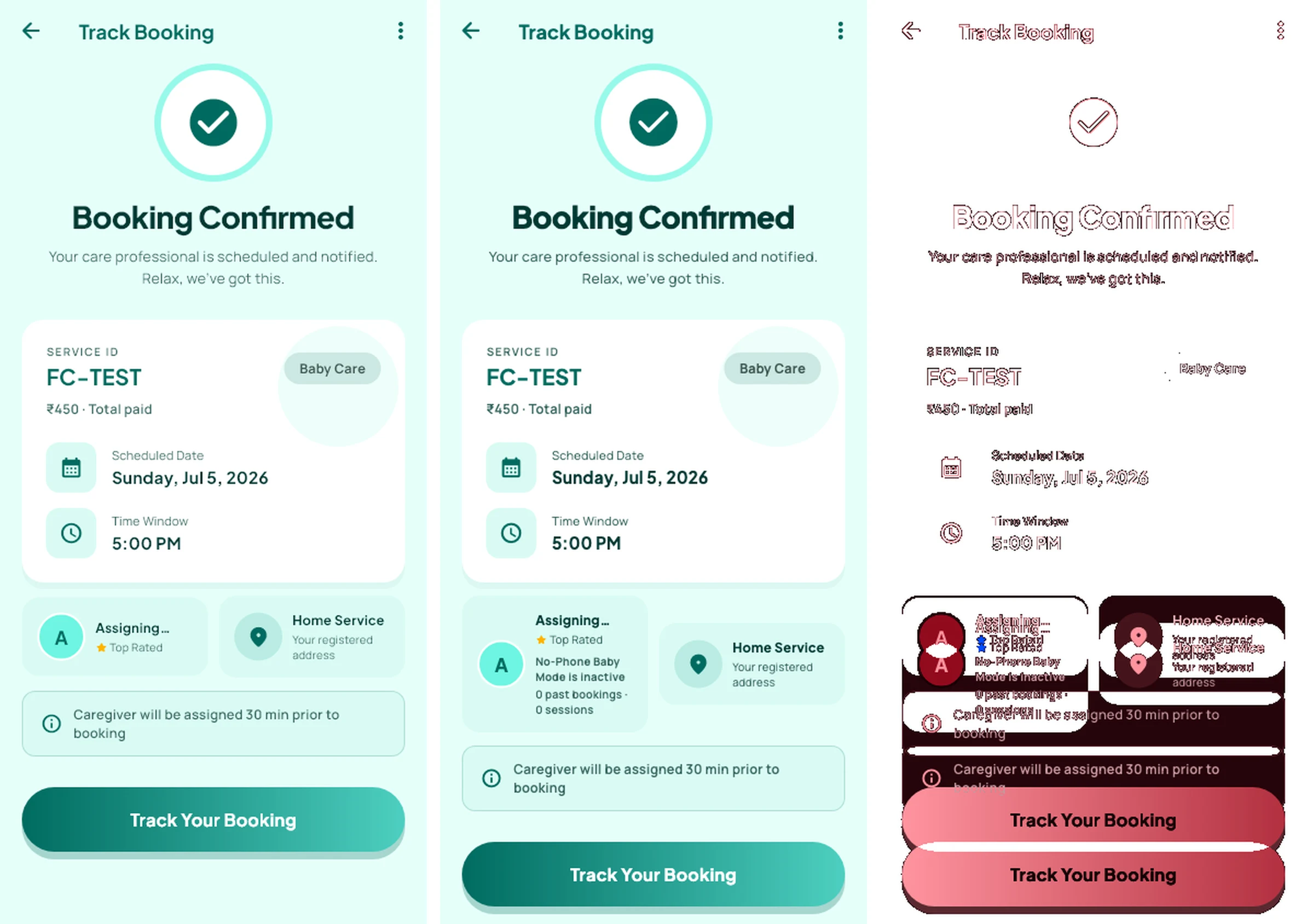
An inherited tolerance hid small changes. The component goldens pass unless more than a quarter of the pixels differ, so macOS-made images pass on Linux. The audit tests live in the same folder and picked up that comparator. Real failures were well above the line (40–67% of pixels), because a layout shift moves everything below it. But roughly four in five screens that visibly changed since launch moved less than a quarter of their pixels. So the check catches layout shifts, and a human reading the label diff catches a wrong price or colour. A suite that renders on one OS with one clock should tolerate nothing.
Bytes are not pixels. One regeneration rewrote about 300 PNGs on a branch whose change had nothing to do with them. I assumed re-encoding noise, since encoders and optimisers can produce different bytes for the same image, and reverted them. Decoding them later showed real changes, like a checkout screen that had gained a pass card. The habit since: decode and compare pixels before calling any golden change noise.
A stale baseline poisons the next diff. Every regeneration accepts whatever renders now. If the committed images fall behind the code, the next person to regenerate gets everyone's changes mixed with theirs, and a diff of hundreds of images is one nobody reviews.
Tapping on text breaks on copy changes. Tests tap visible text, which keeps them honest about what a user sees. When "Notify me!" became "Notify me" and "Care guidelines" gained a capital G, the tests that tapped them failed until someone updated them.
Takeaways
- Fake one seam, keep the rest real. Replacing only the network, with responses captured from the real API, gives production screens with believable data.
- Freeze wall time from outside if you can't inject a clock. An
LD_PRELOADshim scoped to the test process, leaving the monotonic clock alone, freezes the date without freezing animations. - Let one machine own the baseline, and make accepting a change an explicit, reviewable action.
- Select tests from coverage, and remember what coverage can't see: compile-time constants.
- Compare decoded pixels, not files, and set a tolerance for the suite you actually have.
- The biggest win is review, not regression catching. Before/after pictures of real screens changed how the team discusses design.
The next step is keeping the data honest over time: when an endpoint's response changes shape, re-capture the fixtures from read-only requests instead of editing JSON by hand, so the pictures keep showing what the backend really returns.
Stack in this piece: Flutter, flutter_test and golden_toolkit, GitHub Actions on Linux runners, a C LD_PRELOAD shim, Python for test selection and coverage maps, optipng. Counts are from the app repository and its CI runs in October and November 2026.
More from Building FamCare
- A Voice Agent That Only Drafts: an LLM voice interview that can only propose drafts.
- A Care Marketplace on One Boring Backend: the system design behind the whole platform.
- Honest Slots, Priced Idle Time: one eligibility rule, 270 YAML scenarios, price drops and flash sales.
- Shipping a Flutter App Without the App Store: code push for a Flutter app, why patches get refused, and what CI really costs.
- Who Owns This Alert?: business-invariant monitoring that tags the engineer who owns the area.
- Live Captions for Support Calls, Without a New Service: support-call audio to realtime speech-to-text in the admin panel.
- The Demand We Couldn't Serve: measuring families who saw no free slot and left.
- CRM as an API: coupons, free minutes and support calls from CleverTap journeys, rules kept in the backend.
- Three Outages and the Infrastructure They Left Behind: three production incidents, the guardrails each left behind, and how we write up root causes.